Features
Everything a call becomes, once it has been read.
A scored debrief, the moments that mattered, the follow-up written, the person's trend, and an assistant who has read all of it. Here is each piece, as it looks on the screen.
Every call, scored
A debrief minutes after the call ends.
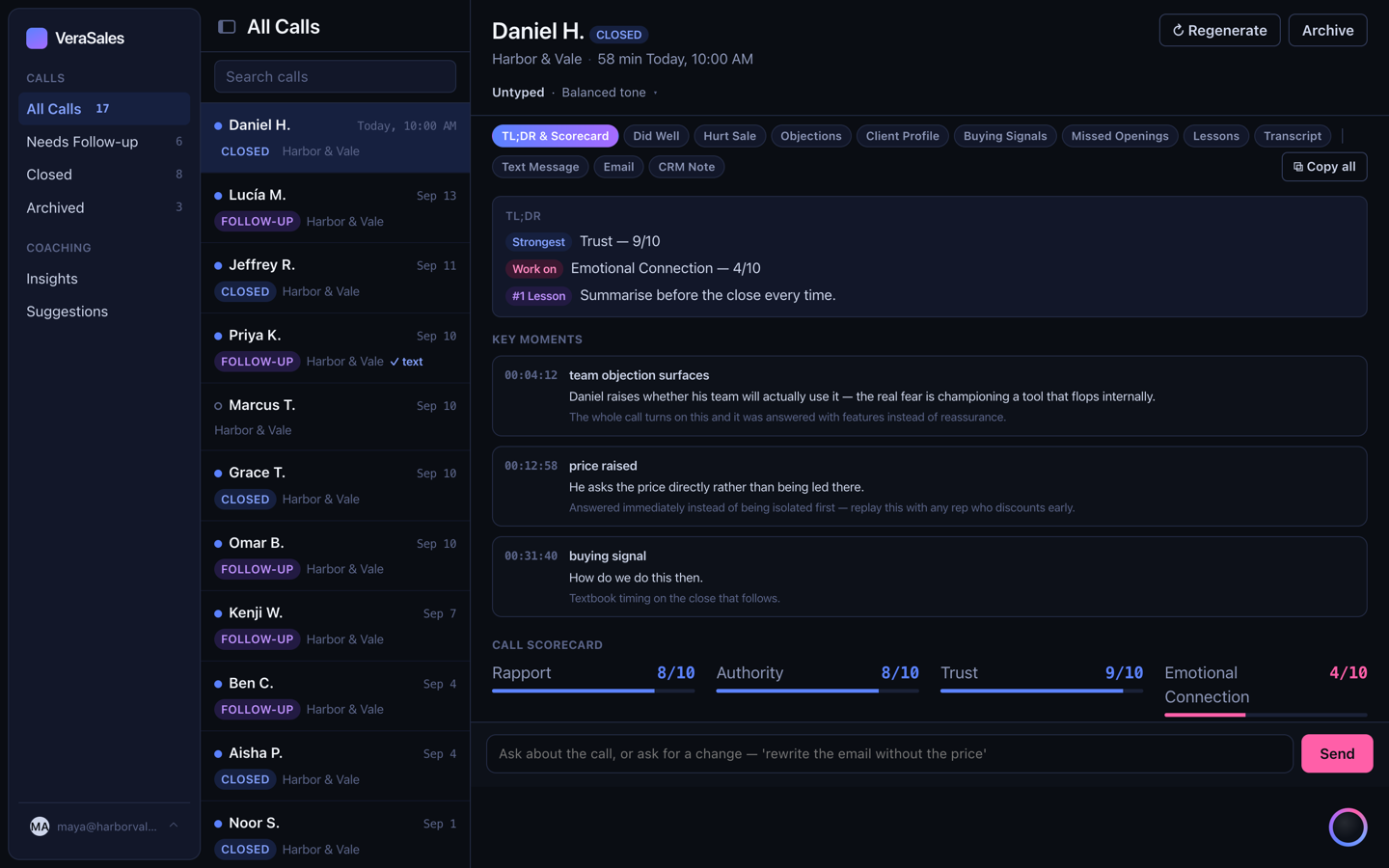
New recordings import themselves. Each one is read in full and scored on the dimensions for its call type, with the reasoning shown, not just the number. What went well, and why. What to say instead, quoted. A discovery call is not graded like a close, and a team meeting is not graded at all.
Calls too short to have been a conversation are not scored, so a no-show never drags a rep's average.
Key moments
The second the call turned, one click away.
Every key moment in a debrief carries its timestamp and links straight into the recording at that second. Training stops being a search: open the moment, watch it, read the scorecard for it, then see what the rep did next.
Follow-up and CRM note
Written from what was said, ready to paste.
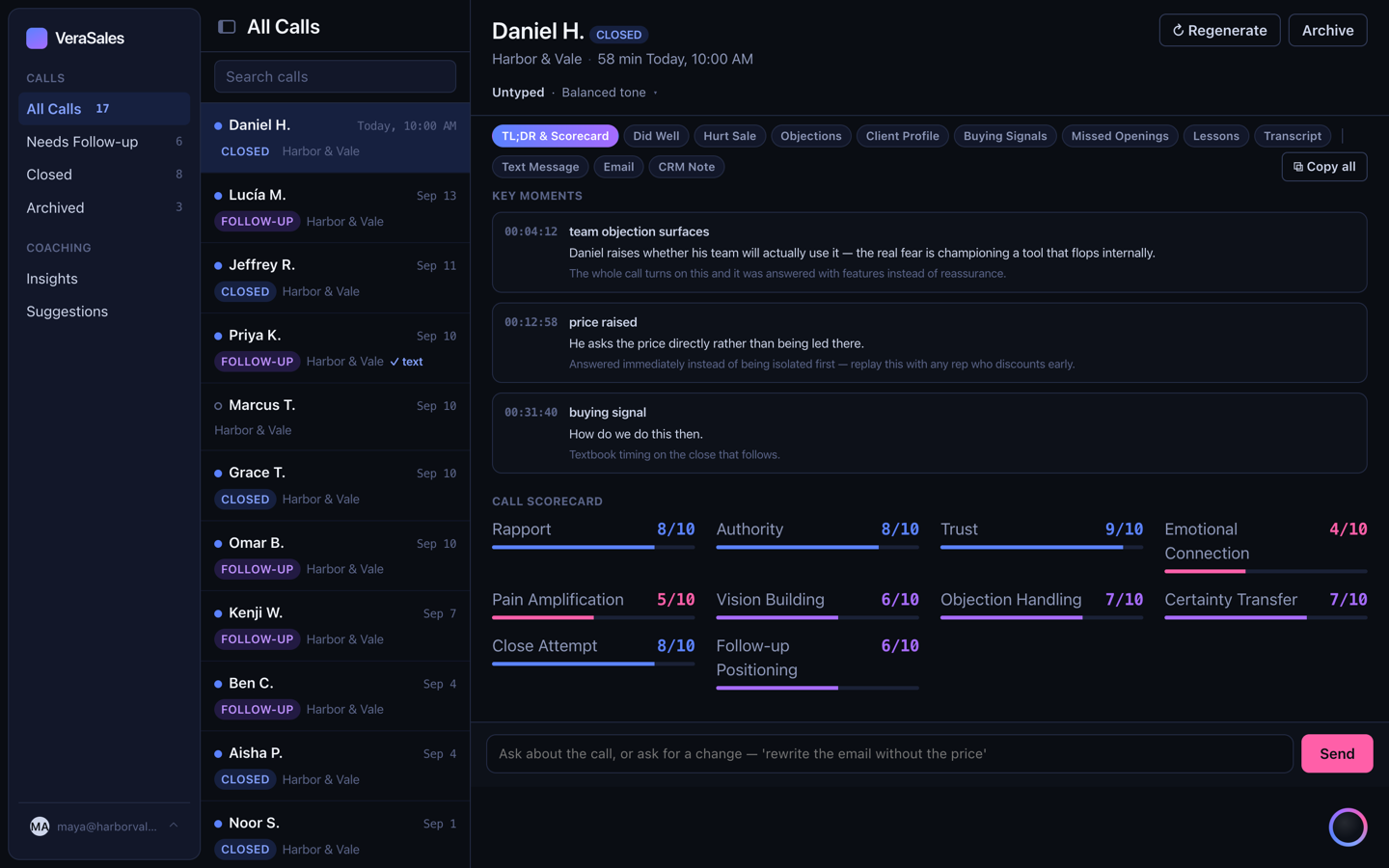
The text and the email for the prospect, in the tone the call calls for, with the alternatives a click away. The CRM note, structured the way a manager wants to read it. Copy, paste, send. Every edit a rep makes is remembered, and the weekly analysis learns from it.
People
Who is winning and who is stuck, over any window.
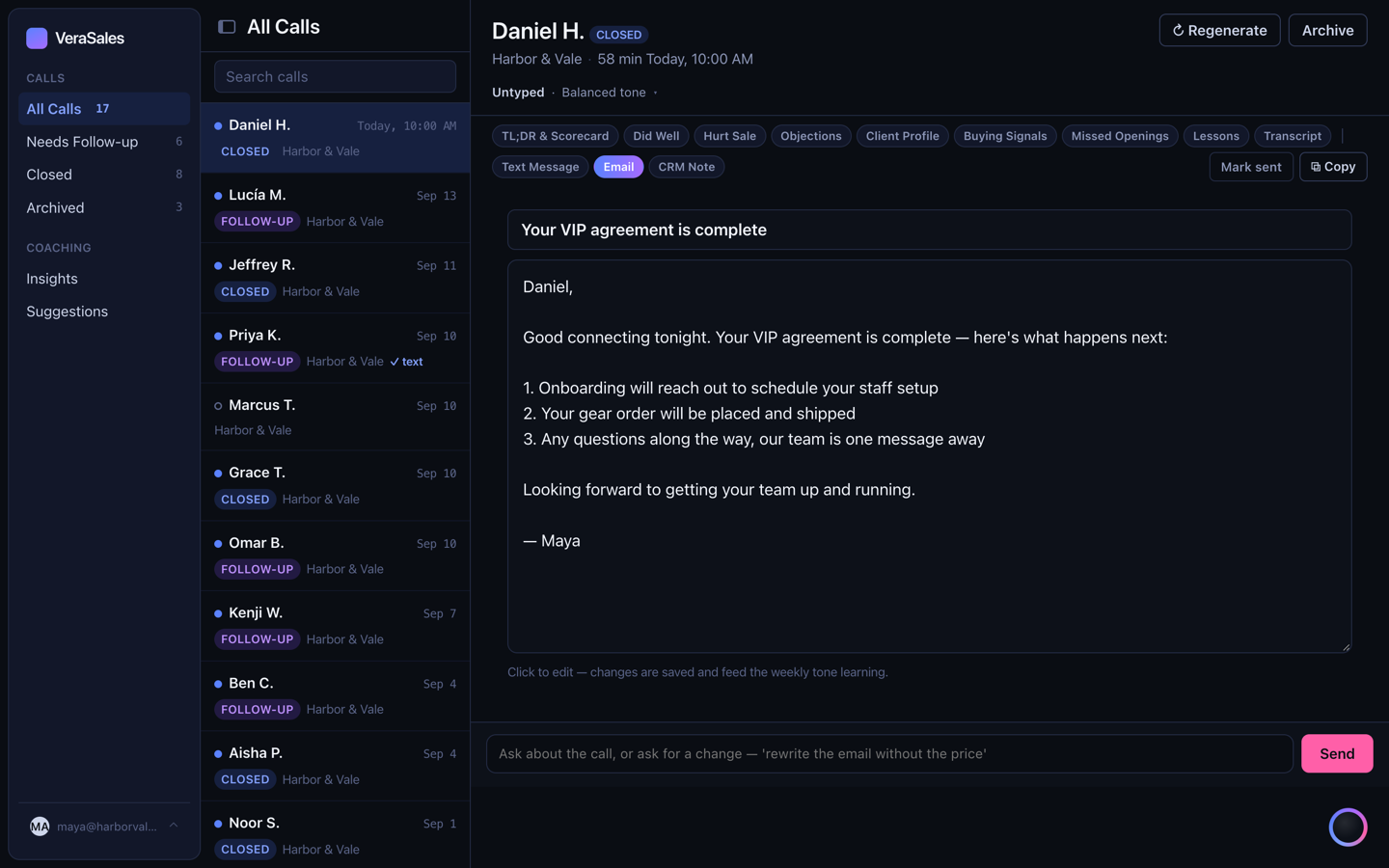
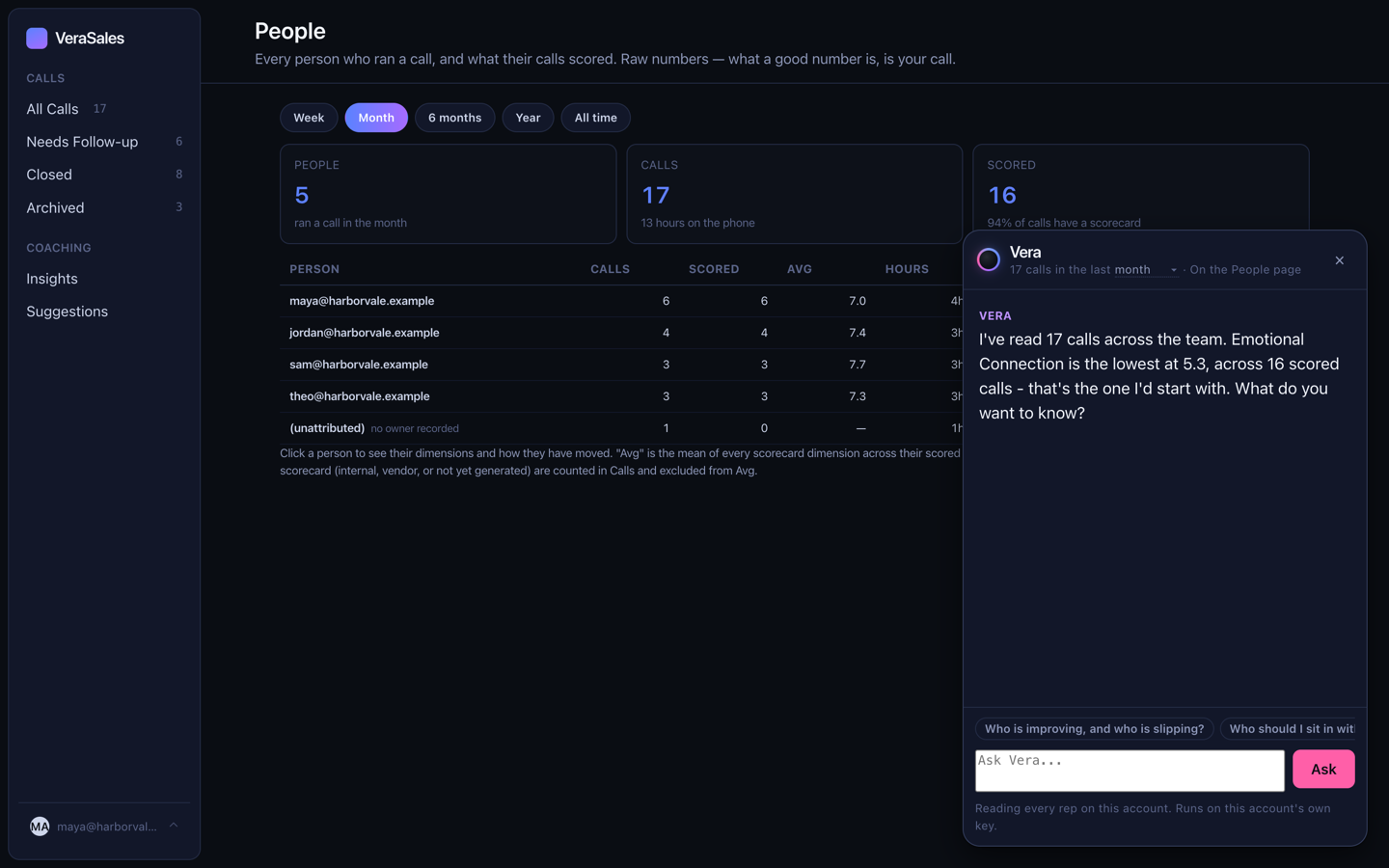
Every rep on one page: calls, scored, average, hours on calls, last call. One click into any person shows each dimension and how it has moved week by week, so the coaching conversation starts from a line on a chart rather than a feeling.
The setter who booked the call comes across from your CRM, so attribution is right.
Vera
The assistant who has read every call you can see.
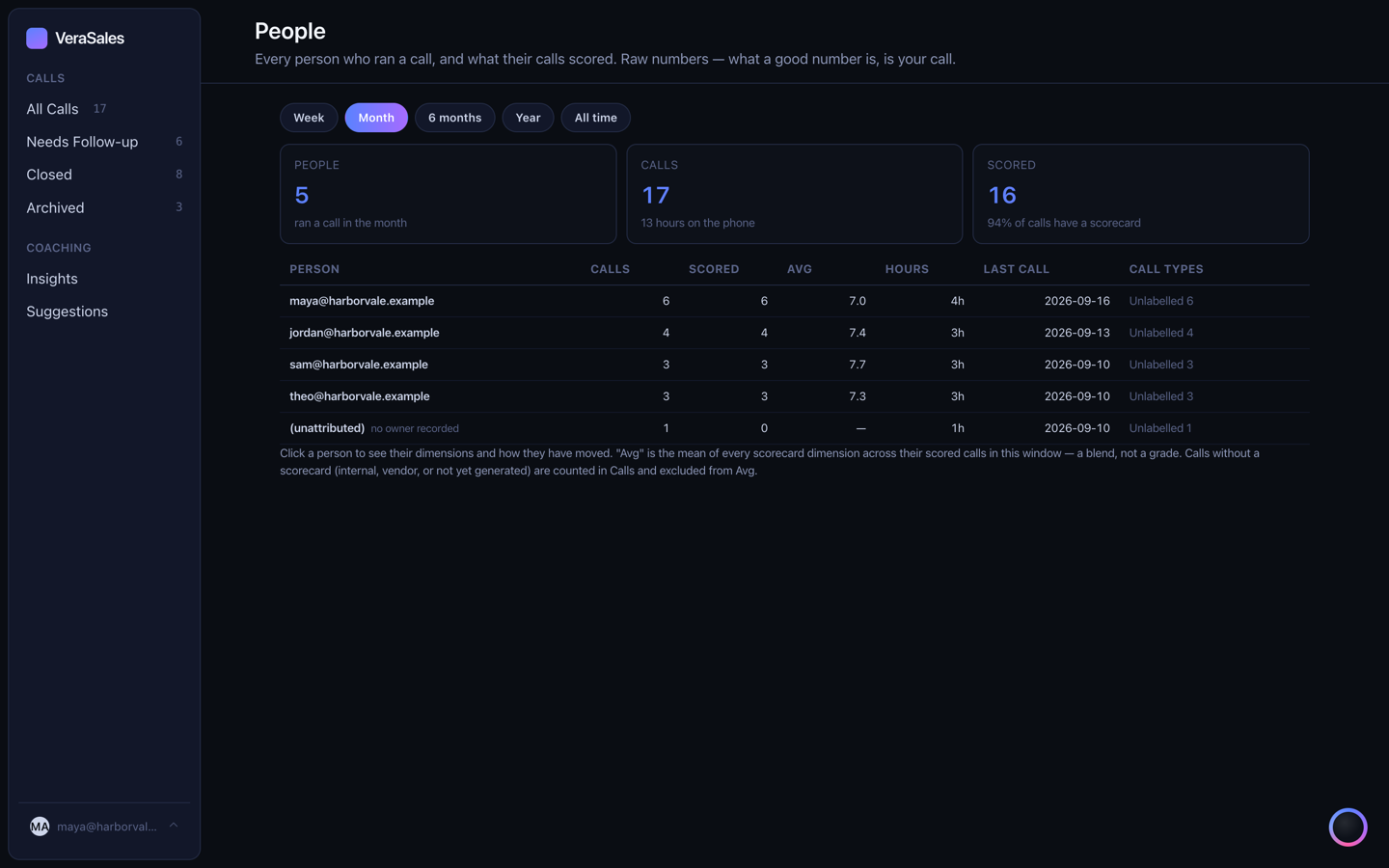
Vera lives in the corner of every screen. She opens with the weakest thing she found in the calls this week, a real number from your calls rather than a guess, and her suggestions change with what is on your screen. Open a call and she asks about that call. Open People and she asks about the team.
She sees exactly what the person asking is allowed to see. A rep's Vera has read the rep's calls; a manager's has read the floor.
Insights and suggestions
Patterns across calls, and prompts that improve themselves.
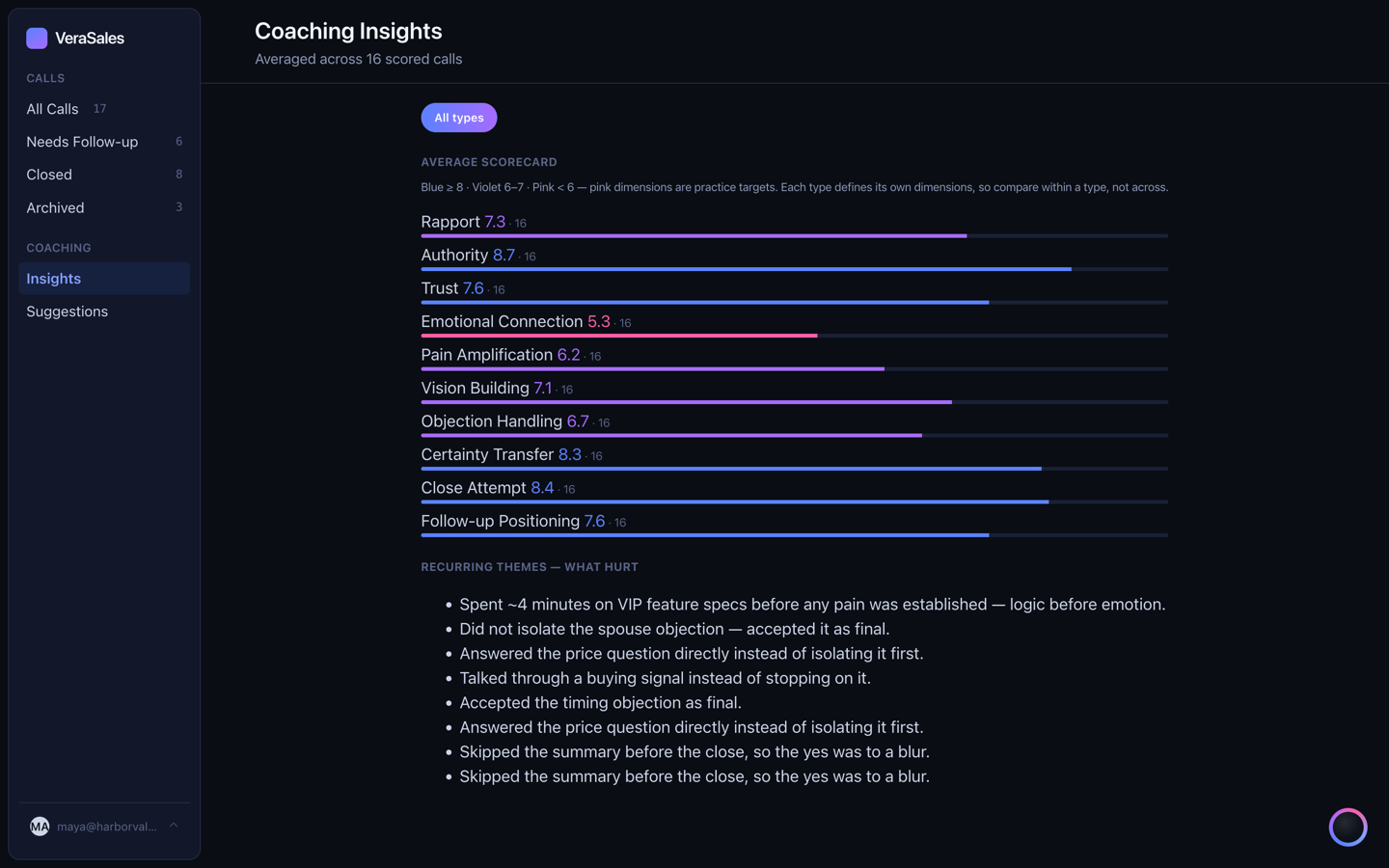
Insights reads across the week: which objection keeps winning, which opener keeps working, where the drop-off lives. Suggestions watches what your team edits before sending and proposes changes to the prompts, so the drafts get closer to your voice every week.
Connections
Your recorder, your AI account, your CRM. Yours.
Fathom
Connected with a key from your own workspace. New calls arrive every few minutes. Any other recorder works by pasting the transcript.
Anthropic or OpenAI
Your account, your API key, your choice of model and effort. You pay the provider directly and see the estimate by day, week and month on Spend.
GoHighLevel
A private integration token from your own account. No marketplace app, no approval wait. Setter and closer attribution flow from it.
Each connection has a Test button. On the setup call you paste each key yourself and press it while everyone is still on the line. Keys are never sent back to a browser once saved.
Roles and access
Admins and members, and a record of who is actually using it.
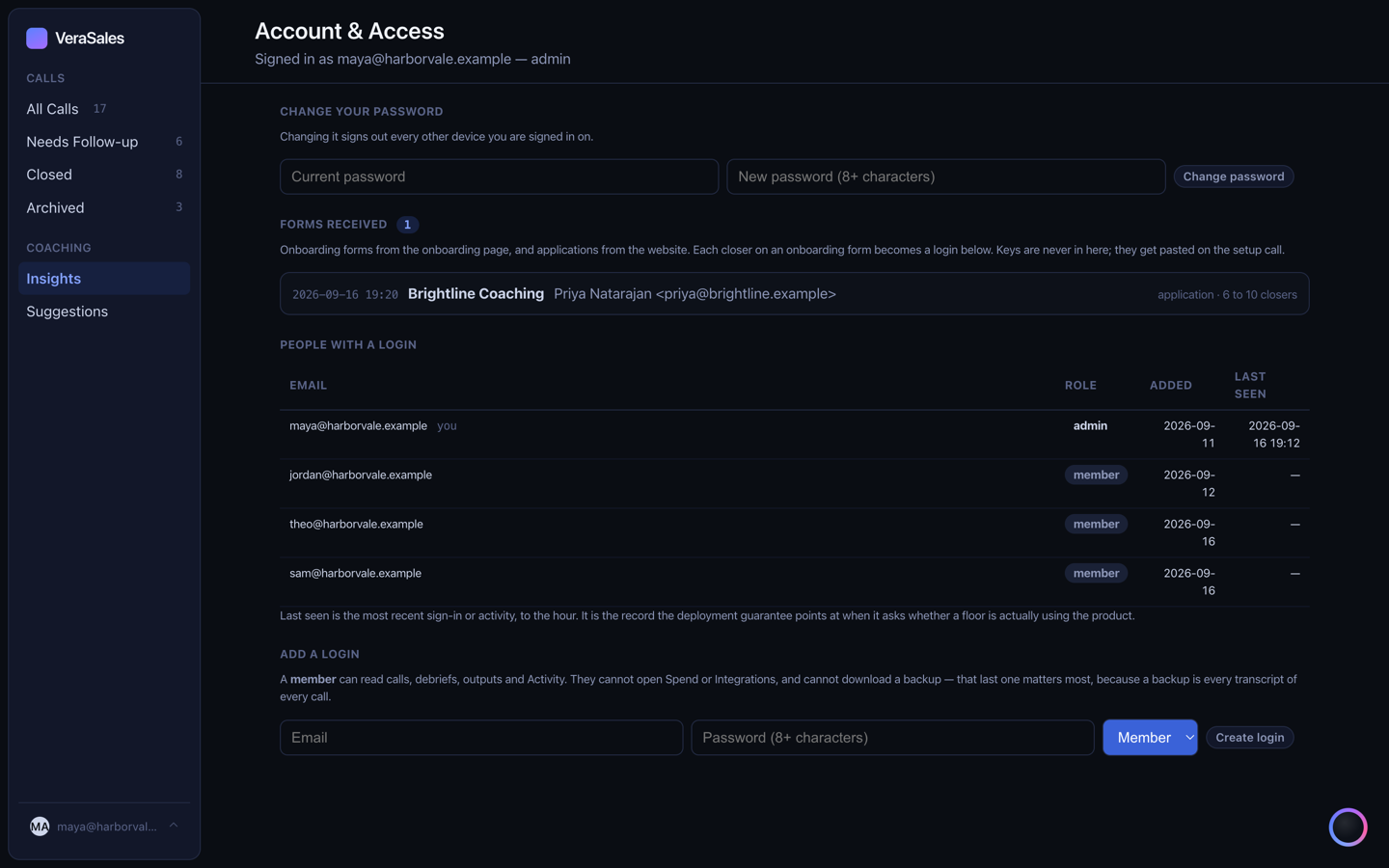
A member reads calls, debriefs and drafts. An admin also holds Integrations, Spend, People and backups. Every login is recorded and each person carries a last-seen time, so the question of whether a floor has adopted the tool has an answer.
Sessions are HttpOnly cookies. Passwords are hashed with PBKDF2 and never stored. A nightly backup of the whole account is taken and kept for thirty days.
See it on your own calls.
Two minutes to apply, one business day for a reply, forty-five minutes to set up.